Thursday, August 23, 2007

This Way to the Web, Print Designers!

Some of my best friends are print designers. Really. Here in New York, there’s a vague segregation between online and offline designers, but the local design community is still sufficiently cozy — and the island of Manhattan sufficiently small — that it’s not unusual for print and digital designers to intermingle freely. Dogs and cats, living together. Insane but true.

It’s great, actually. Especially for me. While I have an obvious partiality towards all things digital, my romance with graphic design originally started with print, obviously. That’s all we had in the pre-TCP/IP dark ages. I enjoy the two worlds immensely, even if I do believe the one is going to completely decimate the other like an atom bomb before the decade’s out. Kidding!

Over the past few years, too, I’ve come to see that the purpose of my career (in at least one aspect) is to do what I can to help bridge the two worlds. Part of this is my design sensibility, which hopes to borrow the best of print to help inform the evolving digital world in a way that’s true to the new medium. Part of it is the mission that I set out for myself when I joined the board of directors at AIGA New York, which to me plays a crucial role in our industry’s transition. And part of this is the fact that I work at a company that employs dozens of print designers even as we’re transforming ourselves into a digital enterprise.

Start Me Up

All of which is prologue to answering a question that I get frequently from print designers: “What do I have to learn in order to do Web design?”

What most people asking this question are looking for is a simple, tactical list of the hands-on skills necessary to work on the Web, a set of discrete tools to acquire that will outfit them for a new environment. More often than not, they feel drawn to Flash as a starting point, in part because it seems to allow the closest approximation of the print designer’s pasteboard: the ability to specify virtually any typeface, a high degree of fine-grained control over the spatial layout of elements, an emphasis on visual invention, and a fairly straightforward way to animate normally static graphic design conventions.

Flash is wonderful, and I think it has its place. But I think it’s absolutely the wrong way to start learning how to work on the Web. It leads too easily to the assumption that a similar amount of authorial control can be exerted in online design as can be achieved offline — which is a fallacy.

It’s far more expedient, to me, to learn HTML and CSS — the foundation for everything — and to learn how to code a simple Web page using those skills (rather than opting for a WYSIWYG tool like DreamWeaver).

Books for Beginning Web Designers

In fact, when this question is posed to me, I literally do recommend Peachpit Press’ surprisingly excellent “HTML, XHTML and CSS Visual QuickStart Guide” by Elizabeth Castro which is as basic and elemental a primer on how a Web page is put together as anything else available. I like to keep my copy on the bookshelf next to my desk, and I still refer to it from time to time — I’m not afraid to admit it.

I’ll also recommend the aging but still remarkably instructive “Eric Meyer on CSS,” which takes a task-based approach to teaching the conceptual basics of Cascading Style Sheets to newcomers. It’s true that this book predates many Web designers’ current preoccupation with semantic integrity. But for someone coming online who just wants to understand how the leg bone is connected to the hip bone, it’s an invaluable starting point.

The Real Step One

Still, even these basics are the second step, in my view. The prerequisite for doing something meaningful with any of these skills — HTML, CSS, Flash or whatever — is first embracing the medium as something different from print. Indeed, there’s no point in learning these skills unless as a print designer you’ve made a prior shift in your understanding of how design works in digital media. Specifically, come to grips with the fact that, on the Web, design is not a method for implementing narrative, as it is in print, but rather it’s a method for making behaviors possible.

More often than not, the reflexive approach that I’ve seen print designers take on the Web is to treat it as a vehicle for print-based design practices: fixing type sizes, specifying typefaces, ignoring usability and expediency, and perhaps most notoriously making the assumption that, over time, users will come around to a print-focused way of consuming content.

In my experience, none of those tactics work. Their all-around ill-suitedness tends to boil over to frustration when print designers realize that, by and large, there’s little room for visual virtuosity online. Which is to say, the Web is not commonly an effective tool for highly expressive displays of typographic, photographic or illustrative skill. Looking for opportunities to execute the sort of improvisational and dramatic creative visions that we see in printed periodicals, for instance, is likely to be an exercise in disappointment.

One of These Media Is Not Like the Others

Rather, working online is very much about small details that build into a cohesive larger platform. I know that all design is like this to some extent, but it’s especially true for the Web. The ratio of constraints to possibilities is far less kind in digital media, and understanding those constraints — understanding how to finesse them and how to subvert them appropriately — requires an attention to detail that bores all but the most dedicated.

There’s plenty that’s been said along this front already. The fact that I’m repeating that the Web is not like the printed page, that online information consumption is fundamentally different from print, is certainly adding nothing new to the conversation. The point I want to emphasize is not just that print designers need to be aware of this, but rather that they should approach it with genuine alacrity.

Smells Like Web Spirit

In learning a new medium, enthusiasm and open-mindedness trump nearly everything. A print designer who expects to succeed online, or even expects to master the skillset, has to be one who eagerly devours information about the medium, who peeks at the source code of Web pages that fascinate her, who spends her after-work hours experimenting with self-directed projects. This person needs to be motivated by the medium’s possibility, and not solely by the fear of losing a job in print.

This is why a fundamental understanding of HTML and CSS is so crucial; such knowledge provides the means to begin experimenting, to begin understanding how a page is put together, how it is delivered to a browser, how it behaves and, crucially, how the designer’s intention maps to how it is used by real people. Without that basic sense of curiosity, that insatiable desire to experiment and understand new ways of doing everything, the Web isn’t much fun at all, regardless of how much experience a designer has under her belt. Just as is true with most everything in life, it’s hard to get good at something unless you’re having fun.

Crackerjack

The web design world, if you pay attention to many of the css and webdesign gallery sites, can seem a bit insular. Seemingly every few months, a new design accouterment pops up out of nowhere and is seemingly on every site. A past example of this is what I’ll call the ‘Crackerjack 2 for 1 Special Sticker’. Here are a couple examples I dug up:

NoodleBox
noodlebox_stick.jpg

Third and Grand
thirdgrand_stick.jpg

Both of these sites are well designed sites and I’m not picking on them, I’m just using them as examples. For all I know, they were the first to use the element. But for a while, these ’stickers’ were everywhere. As an element, the meaning of them is often lost on me, but that’s beside the point. And if you’ve been paying attention lately, the crackerjack sticker has been replaced by the peeling crackerjack sticker. It’s basically the same, but instead of a sort of star shape, it’s round and is actually peeling off the screen, implying that you better hurry up and take whatever offer is within its bounds or it just might fall off. Three sites I found that do this are:

Realasponse
realasponse_stick.jpg

2gmedia
2gmedia_stick.jpg

Fiveruns
fiveruns_stick.jpg

Perhaps the next trend will be another sticker on top of the old sticker, which is also peeling and maybe a bit torn. Perhaps it offers something even free-er. I can’t wait.

So these are three sites I found, what are some others?

Wednesday, August 22, 2007

What Apple copied from Microsoft

Zeldman: . I repeat my comment: Not only is this an insightful article, but it's written so beautifully it's blissfully painful. Thank you, Jeffrey, for reminding us how to write.

Why FireFox is Blocked - Adblock killing the internet

This site is promoting the blocking of the brilliant, free and popular web browser, Firefox. The basis of their argument is the Adblock plugin for Firefox that blocks advertisements from being displayed on any site you visit. I have to say, I agree with them (to an extent); “Software that blocks all advertisement is an infringement of the rights of web site owners and developers”.

I do not see this as anything other than stealing from the site owners and content creators who have worked hard to bring you great content only to be robbed of making any kind financial reward for it. However, there is a lot to say about some of the ads displayed on websites especially the flashy, interfering and annoying kind.

I wonder what people like John Gruber and Jason Kottke think of something like this, people who rely on advertising as a means of income.

Alas, I completely disagree with sites blocking any kind of user, regardless of their browser. This brings back memory of the archiac method of browser sniffing and disallowing visitors to enter a site because of their kind of browser, that we saw a lot of in the ’90s with sites for IE only. Blocking Firefox users is going to hurt your site, regardless if they are seeing your ads or not!

Firefox 2

Adblock effectively robs these free sites of their revenue. If Internet Explorer came with a feature such as Adblock, you would effectively wipe out thousands of websites, maybe more. These are the same free sites users of Adblock frequently visit. The irony is how this is self-defeating. Popular Technology.net

DragMe WP Theme

The DragMe Wordpress theme launches, allowing the reader of the blog to move the sidebar elements around, ensuring that their favourite features are always at the top.

Create a Life Stream

How i build Minimology : This article details how to create an automated, content-rich Wordpress blog based around your online actions (eg/ Twitter, Flickr).

The Geek Olympics


The geek olympics is in full swing! Two teams - one from Australia, one from NZ - have just 24 hours to create a fully functional website for a charity...There's just 21 hours to go!

Jeffrey Zeldman: King of Web Standards


Jeffrey Zeldman: King of Web Standards. "As a pioneer of standards-based design, he helped put an end to the browser wars and made Web sites available to all."

Bulletproof Web Design, Second Edition


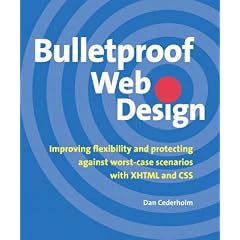
Bulletproof Web Design: Improving flexibility and protecting against worst-case scenarios with XHTML and CSS (Paperback)

Introducing Tripoli

Tripoli is a generic CSS standard for HTML rendering. By resetting and rebuilding browser standards, Tripoli forms a stable, cross-browser rendering foundation for your web projects.

The ideas behind Tripoli

  • to form a generic standard for rendering HTML 4 tags
  • to reset and rebuild all browser defaults for maximum compability
  • to address deprecated tags in HTML 4 and disable them through CSS
  • to separate content typography from layout measurements, allowing simple implementation in dynamic design environments
  • to increase readability and web typography
  • to assist clients who have little knowledge about CSS to write HTML that actually looks great
  • to increase form useability and visual appearance of form controls
  • to make the HTML look great in several medias, including screens, mobile browsers and prints
  • to embrace W3C’s guidelines and well know typographic rules
  • to allow external plugs that can extend generic defaults into more advanced themes

Please visit the Tripoli site for more information, downloads and examples.

Tuesday, August 21, 2007

In Depth CSS XHTML Techniques


This special two-day workshop that will give you everything you need to know to build top-quality CSS XHTML websites. As an in-depth course this workshop is the perfect grounding in CSS, XHTML and other important aspects of site accessibility.

This is a unique oportunity to learn from the undisputed leader in CSS, XHTML and accessibility - Eric Meyer. If you have always wanted to build advanced websites using CSS and XHTML, this is the workshop for you.

The Groundwork

Day one will cover the fundamental aspects of XHTML and CSS and how to put them work for you, making your authoring more efficient and sophisticated. The day will end with a session on layout techniques and the pros and cons of CSS hacking.

Putting it into Practice

Day two will cover more advanced features, starting with a session on fun and interesting design effects using CSS. The day continues with a focused session of turning 'ordinary' markup on its head and a design-to-layout conversion project. On day two you will also have the opportunity to bring up any specific problems that you have with your own website or application.

Throughout the workshop, you are encouraged to put forward your ideas, ask any questions or bring up any issues that you are hoping to resolve. Whether you are working on an existing project that needs to be brought up to date, or planning a new site, this workshop will provide you with the solid foundation and inspiration to achieve your objectives.

New elements in HTML 5

Development of HTML stopped in 1999 with HTML 4. The W3C focused its efforts on changing the underlying syntax of HTML from Standard Generalized Markup Language (SGML) to XML, as well as completely new markup languages like Scalable Vector Graphics (SVG), XForms, and MathML. Browser vendors focused on browser features like tabs and RSS readers. Web designers started learning CSS and the JavaScript™ language to build their own applications on top of the existing frameworks using Asynchronous JavaScript + XML (Ajax). But HTML itself grew hardly at all in the next eight years.

Recently, the beast came back to life. Three major browser vendors—Apple, Opera, and the Mozilla Foundation—came together as the Web Hypertext Application Technology Working Group (WhatWG) to develop an updated and upgraded version of classic HTML. More recently, the W3C took note of these developments and started its own next-generation HTML effort with many of the same members. Eventually, the two efforts will likely be merged. Although many details remain to be argued over, the outlines of the next version of HTML are becoming clear.

This new version of HTML—usually called HTML 5, although it also goes under the name Web Applications 1.0—would be instantly recognizable to a Web designer frozen in ice in 1999 and thawed today. There are no namespaces or schemas. Elements don't have to be closed. Browsers are forgiving of errors. A p is still a p, and a table is still a table.

At the same time, this proverbial unfrozen caveman Web designer would encounter some new and confusing elements. Yes, old friends like div remain, but now HTML includes section, header, footer, and nav as well. em, code, and strong are still present, but so are meter, time, and m. img and embed continue to be used, but now there are video and audio too. However, closer inspection by the caveman designer would reveal that these elements aren't that different. Many of them might be things the designer needed back in 1999 but didn't have. All these new elements are easily learned by simple analogy with elements the designer already understands. In fact, they're a lot easier to learn than Ajax or CSS.

Finally, when the caveman fired up the 300MHz laptop running Windows 98 that was also frozen in 1999, they might be astonished to realize that the new pages display fine in Netscape 4 and Windows® Internet Explorer® 5. Sure, the browser wouldn't recognize or do anything with the new elements, but the page still displays, and the content is all there.

That's not a happy coincidence. HTML 5 was explicitly designed to degrade gracefully in browsers that don't support it. The reason is simple: We are all cave people. Browsers now have tabs, CSS, and XmlHttpRequest, but their HTML renderers are stuck in 1999. The Web can't move forward without accounting for the installed base. HTML 5 understands this. It offers real benefits to page authors today while promising even more to page readers tomorrow as browsers are slowly upgraded. With that in mind, let's look at what HTML 5 brings you.

Related Links

http://www.ibm.com/developerworks/web/library/x-html5/index.html?ca=drs-